Open Source Automation Tools: Boost Efficiency with Top Picks
Are you looking to save time and boost your productivity without breaking the bank? Open source automation tools could be exactly what you need.
These powerful tools help you automate repetitive tasks, reduce errors, and focus on what really matters. Imagine cutting down your workload while improving accuracy—sounds great, right? Keep reading to discover how these tools can transform your daily routine and make your projects run smoother than ever.
Credit: katalon.com
Benefits Of Open Source Automation
Open source automation tools offer many benefits that help businesses and developers work better. These tools are free to use and easy to modify. They help save time and reduce errors in tasks that are repeated often.
Using open source tools means you can customize the software to fit your exact needs. The community around these tools also shares ideas and solutions. This support helps improve the tools quickly and keeps them reliable.
Cost Savings
Open source automation tools do not require expensive licenses. This makes them affordable for small and large teams alike. You only pay for the resources you use, like hosting or support.
Flexibility And Customization
These tools allow users to change the code as needed. You can add features or fix bugs without waiting for a vendor. This freedom helps create solutions tailored to your projects.
Strong Community Support
Many developers contribute to open source projects. The community shares updates, tools, and advice. This makes it easier to solve problems and learn new techniques.
Improved Quality And Security
Open source code is visible to everyone. This transparency helps find and fix security issues faster. Frequent updates from the community keep the tools reliable and safe.
Faster Innovation
Developers can build on existing open source tools quickly. This speeds up the creation of new features and fixes. Teams spend less time starting from scratch.
Credit: bluecatnetworks.com
Criteria For Choosing Tools
Choosing the right open source automation tool is important. It affects your project’s success and ease of use. Several factors matter when picking a tool. These criteria help you find the best fit for your needs.
Each tool has different features and strengths. Some are easy to use, while others offer more control. Think about your team’s skills and project goals. The right tool saves time and reduces errors.
Usability And Learning Curve
Choose tools that your team can learn quickly. Simple interfaces help users work faster. Tools with clear documentation and tutorials are best. Avoid tools that require complex setups or coding.
Community Support And Updates
A strong community means better help and resources. Look for tools with active forums and regular updates. This shows the tool is reliable and improving. Old or inactive projects may cause problems later.
Integration With Existing Systems
Check if the tool works well with your current software. Compatibility saves time and avoids extra work. Tools that connect easily with other programs boost efficiency. Avoid tools that need heavy customization to fit.
Scalability And Flexibility
Pick tools that grow with your project needs. Flexible tools adapt to different tasks and team sizes. This saves switching tools later. Scalability is key for long-term success.
Cost And Licensing
Open source means no license fees. Still, check for hidden costs like training or support. Understand the tool’s license terms. Some licenses limit commercial use or require sharing changes.
Top Automation Tools For Testing
Automation testing saves time and reduces errors in software development. Many open source tools help testers automate their tasks easily. These tools support different platforms and programming languages. They make testing faster and more reliable.
Here are two popular open source automation tools used by many testers worldwide.
Selenium
Selenium is a widely used tool for web application testing. It supports multiple browsers like Chrome, Firefox, and Safari. Testers write scripts in languages such as Java, Python, and C. Selenium allows running tests on different operating systems. It also supports parallel test execution to speed up the process. Its strong community offers many plugins and support resources.
Appium
Appium automates mobile app testing on Android and iOS devices. It works with native, hybrid, and mobile web apps. Testers can write scripts in various programming languages. Appium uses WebDriver protocol, making it easy to switch from Selenium. It supports real devices and emulators for testing. Appium helps deliver reliable mobile applications by automating repetitive tests.
Leading Tools For Ci/cd
Continuous Integration and Continuous Delivery (CI/CD) tools help developers build, test, and deploy software quickly. Open source automation tools are popular choices. They save time and reduce errors in software projects. These tools support collaboration and improve code quality. Let’s explore two leading open source CI/CD tools.
Jenkins
Jenkins is a widely used open source automation server. It supports many plugins, making it flexible. Jenkins automates building, testing, and deploying software. Developers can customize pipelines to fit their project needs. Jenkins works well with many programming languages and platforms. Its large community ensures regular updates and support.
Gitlab Ci
GitLab CI is integrated with GitLab, a popular code repository. It allows automated testing and deployment directly from the GitLab interface. Pipelines are easy to configure using a simple YAML file. GitLab CI supports parallel jobs to speed up processes. It also provides clear feedback on build status and errors. Teams can manage code and CI/CD in one place.
Automation Tools For Configuration Management
Automation tools for configuration management help teams control and maintain software settings across many computers. They make it easy to set up systems quickly and keep them consistent. These tools reduce errors and save time by automating repetitive tasks. They work well in cloud environments and large data centers.
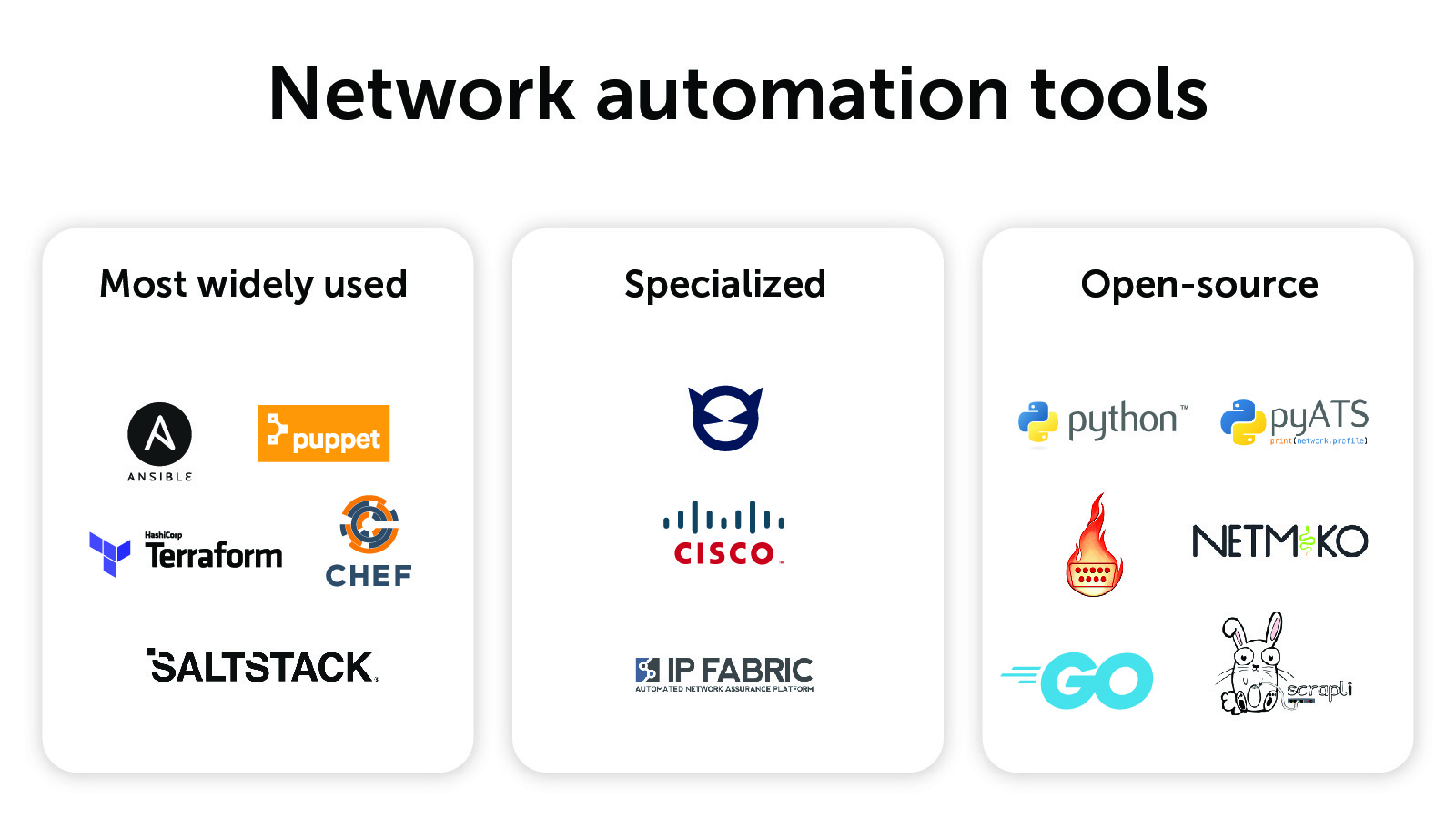
Configuration management tools also track changes and allow easy rollback. They ensure that every server has the right software and settings. This improves security and system stability. Two popular open source tools for this are Ansible and Puppet.
Ansible
Ansible uses simple language to describe tasks. It works without needing extra software on target machines. This agentless design makes it easy to start. Ansible uses playbooks written in YAML. Playbooks tell Ansible what to do step by step. It handles tasks like installing software, managing files, and configuring services. Ansible is fast and scalable. It fits small setups and big enterprises alike.
Puppet
Puppet uses a declarative language for configuration. Users write manifests to define system state. Puppet runs agents on each machine to enforce settings. It checks and fixes configurations automatically. Puppet supports complex environments with many nodes. It offers reporting and visualization tools. Puppet helps keep systems secure by ensuring compliance. It also integrates with other tools for automation.
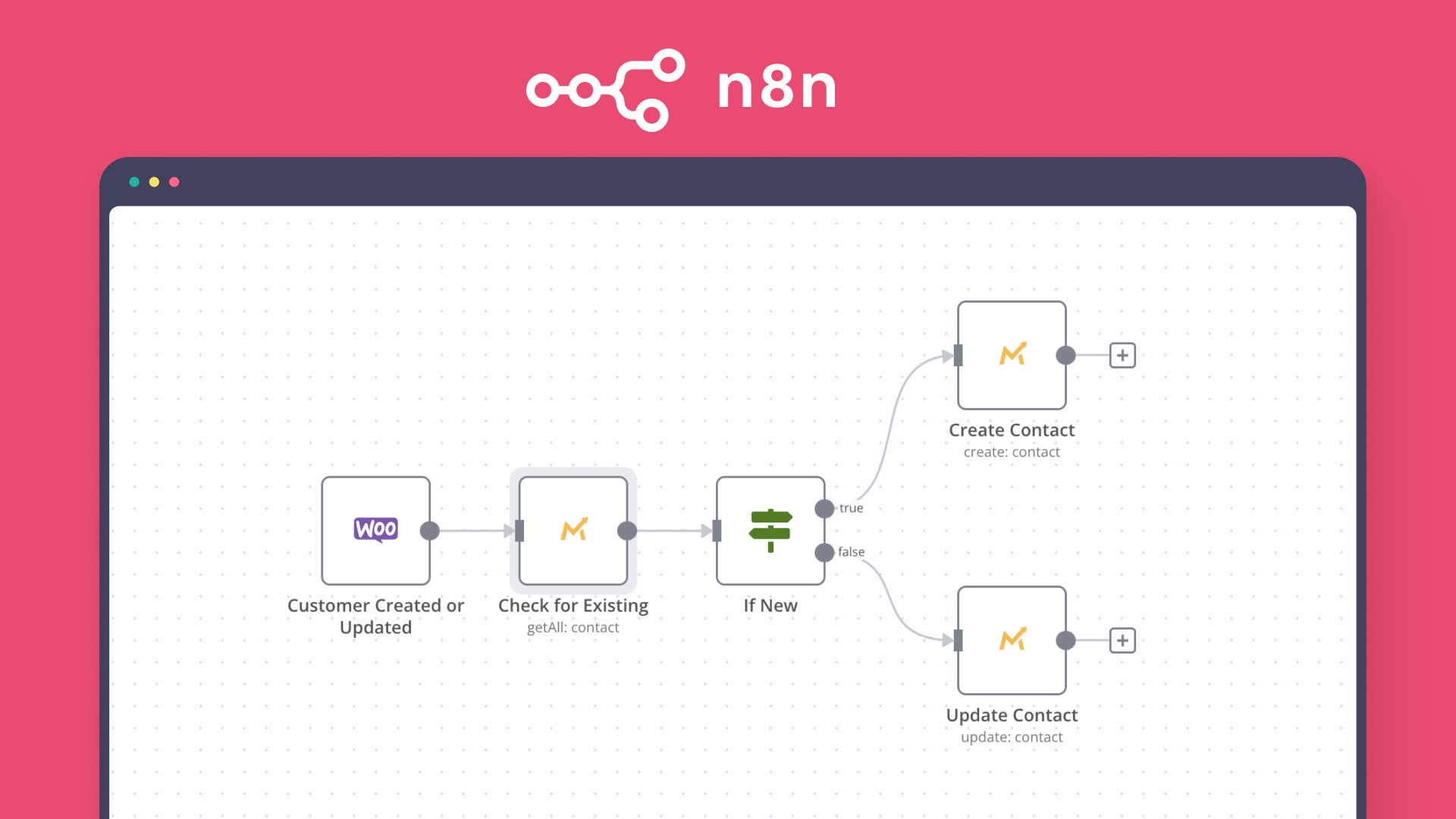
Credit: blog.n8n.io
Integrating Automation Tools Seamlessly
Integrating automation tools seamlessly is key to efficient workflows. It helps teams save time and reduce errors. Proper integration allows different tools to work together smoothly.
Automation tools often have unique features and functions. Combining these features requires careful planning. The goal is to create a system where tools share data and tasks without disruption.
Understanding Compatibility Between Tools
Check if the tools support common standards or protocols. Look for APIs or plugins that connect them easily. Compatible tools reduce the need for manual work and errors.
Using Apis For Smooth Data Exchange
APIs let tools talk to each other automatically. They send and receive data fast and safely. Using APIs avoids repetitive tasks and keeps information updated.
Automating Workflows With Scripts
Scripting helps link multiple automation tools in one flow. Scripts control what happens and when. This reduces waiting time and speeds up processes.
Monitoring And Managing Integrations
Keep track of how tools work together daily. Use dashboards or alerts to spot problems early. Good monitoring ensures steady and reliable automation.
https://www.youtube.com/watch?v=vtPOBzq4zrs
Future Trends In Open Source Automation
Open source automation tools are evolving fast. New trends shape how developers and companies use them. These trends help improve efficiency, reduce costs, and enhance software quality.
Understanding future trends in open source automation helps teams prepare. It also guides decisions on which tools to adopt and how to use them effectively.
Enhanced Ai Integration
Artificial intelligence will play a bigger role in automation. AI helps tools learn from data and improve test accuracy. It reduces manual work by predicting errors and fixing bugs.
More Cloud-native Solutions
Open source tools will focus more on cloud environments. Cloud-native automation supports faster deployment and scaling. It allows teams to work anywhere and manage resources better.
Increased Collaboration Features
Collaboration between developers and testers will improve. Tools will offer better sharing and communication options. Teams can track progress and solve problems faster together.
Focus On Security Automation
Security checks will become part of the automation process. Tools will scan code for vulnerabilities automatically. This helps catch risks early and protect software from attacks.
Support For Low-code And No-code Automation
More tools will allow automation without deep coding skills. Low-code and no-code options help non-technical users create tests. This broadens access and speeds up automation adoption.
Frequently Asked Questions
What Are Open Source Automation Tools?
Open source automation tools are free software that help automate tasks and processes. They allow users to modify and share the code.
How Do Open Source Automation Tools Save Time?
These tools reduce manual work by running repetitive tasks automatically. This speeds up workflows and lowers errors.
Which Industries Benefit From Open Source Automation Tools?
Many sectors like IT, manufacturing, and marketing use these tools to improve efficiency and quality.
Are Open Source Automation Tools Easy To Learn For Beginners?
Most have large communities and tutorials that make learning easier, even for those new to automation.
Conclusion
Open source automation tools help save time and effort in daily tasks. They offer flexibility and support from a large community. Many tools are free to use and easy to customize. These tools fit well for small businesses and big companies alike.
Exploring these options can improve work quality and speed. Choose the tool that meets your needs best. Start small, learn, and grow your automation step by step. Automation becomes simple and useful with the right tools.
Are you struggling to find the right tool to make your ETL testing faster and more accurate? Choosing the best ETL automation testing tools can save you hours of manual work and help catch errors before they become costly problems. You’ll discover top tools that fit your needs, boost your efficiency, and simplify complex data…
Are you tired of writing endless lines of code just to test your software? Imagine speeding up your testing process without needing to be a coding expert. The right codeless test automation tools can make this possible. They help you catch bugs faster, save time, and boost your team’s productivity—all without writing a single line…
Are you tired of spending hours sorting through endless resumes and juggling interviews? Imagine a tool that can do the heavy lifting for you—streamlining your hiring process and helping you find the best candidates faster. Recruitment automation tools are designed to save your time, reduce errors, and improve your hiring decisions. You’ll discover the top…
Are you looking to boost your manufacturing efficiency and cut down on costly errors? Automation Tool and Die could be the game-changer you need. Imagine saving time, reducing manual work, and improving precision all at once. This technology is designed to make your production smoother and more reliable. Keep reading to discover how Automation Tool…
Are you struggling to grow your Instagram account the way you want? You’re not alone. Managing your posts, engaging with followers, and expanding your reach can take up a lot of time and energy. What if there was a way to do all this faster and smarter? That’s where the best Instagram automation growth tools…
Are you struggling to find the right tool to test your APIs quickly and accurately? Choosing the best API testing automation tool can save you hours, reduce errors, and boost your team’s productivity. But with so many options out there, how do you know which one fits your needs perfectly? This article will guide you…